Photo Guide
One clean photo of your iris
Get the light right and the rest is easy. Follow this and you'll have a sharp, glare-free iris shot in under a minute.
Light from the side — never the front
Your eye is a mirror. Whatever faces it shows up on the iris — so a phone screen or a ceiling light leaves a glare blob right where we need to look. Use one small light, a lamp or your phone's flashlight, off to one side at 45° or more and slightly behind your eye-line. That lights the iris evenly with nothing reflected back.
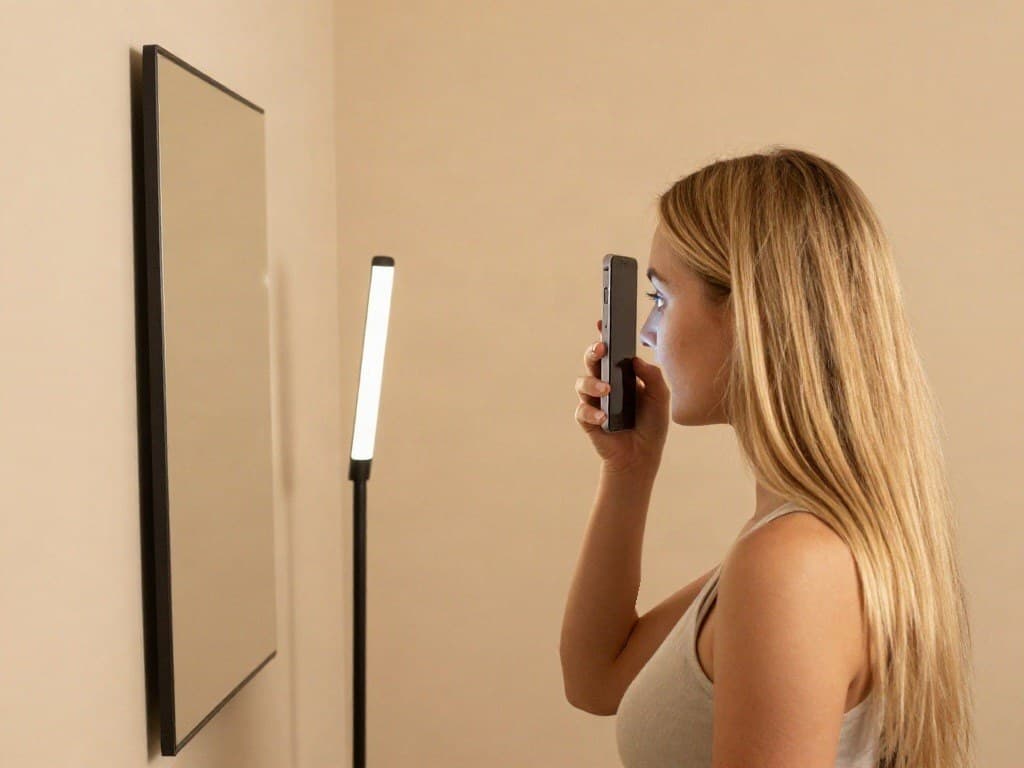
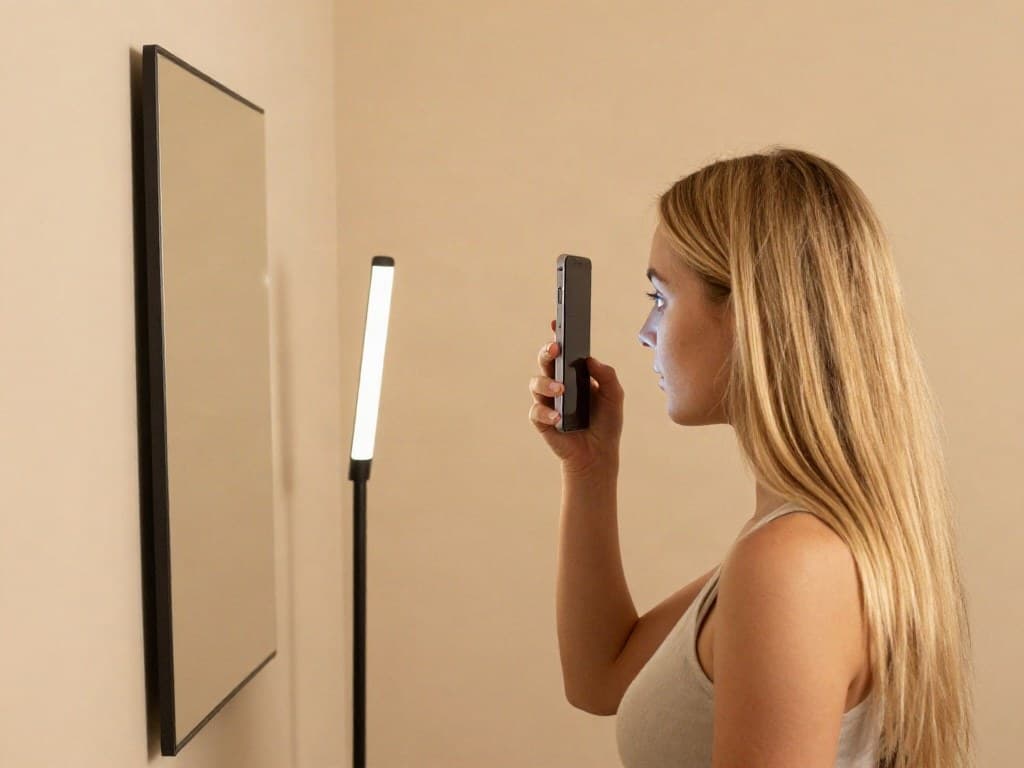
Lamp beside you, level with your eyes — mirror ahead, phone on your eye
Your phone, in a mirror
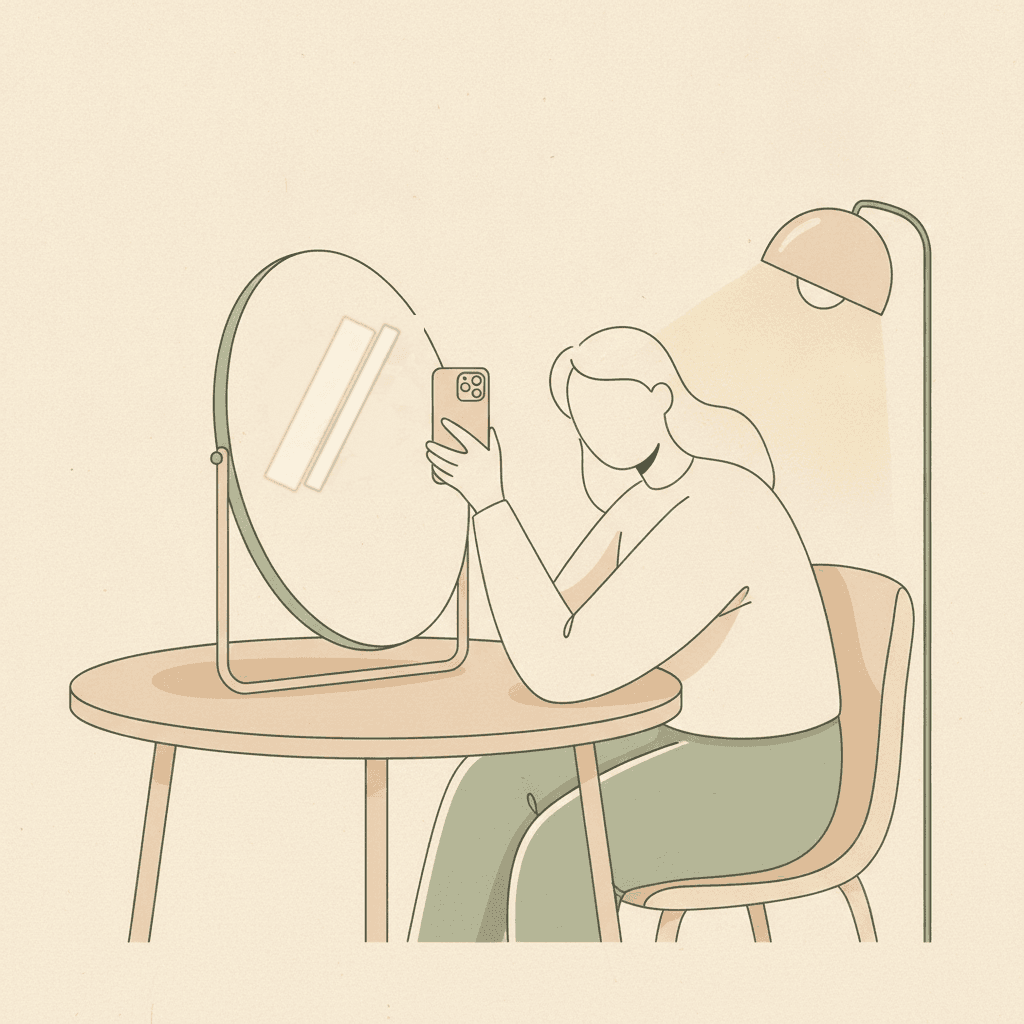
Phone in a mirror
Stand at a mirror and use the BACK camera: back camera to your eye, screen facing the mirror, phone touching the bridge of your nose. You watch the screen in the mirror with your other eye while the back camera shoots the eye it is pressed against. The front (selfie) camera won't resolve the iris — it is too soft at this distance. Put a small lamp off to one side, never behind the phone. Frame your eye, get close, and tap to shoot.
Getting the macro shot
Recent iPhones have a built-in macro lens. A little practice and the iris fills the frame, pin-sharp.
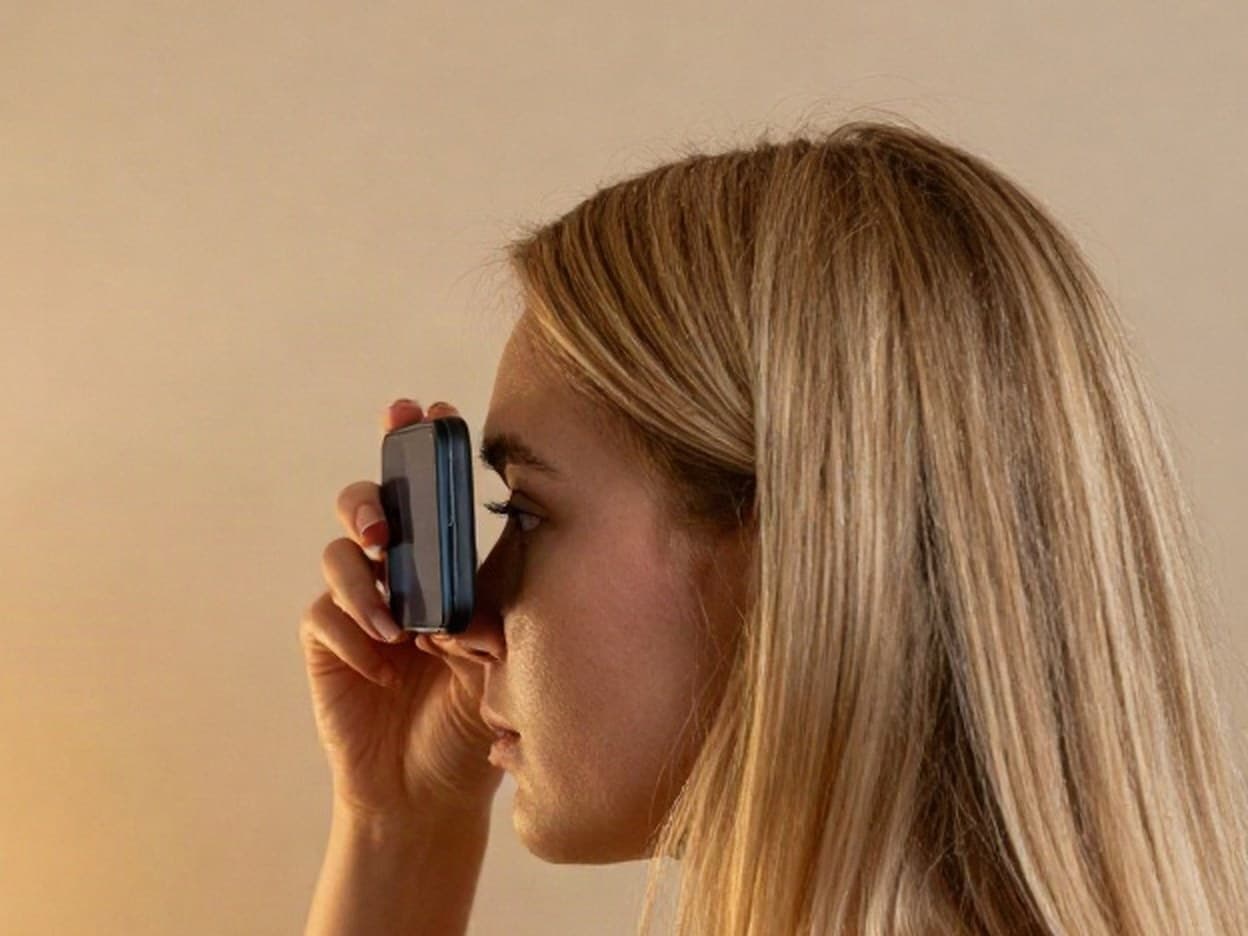
Rest the phone on your face
With the back camera to your eye, bring the phone in until it touches your brow. At roughly 2 cm a modern iPhone automatically switches to its macro lens and the iris snaps into crisp detail. Only the back camera has this lens — the selfie camera stays soft however close you get.
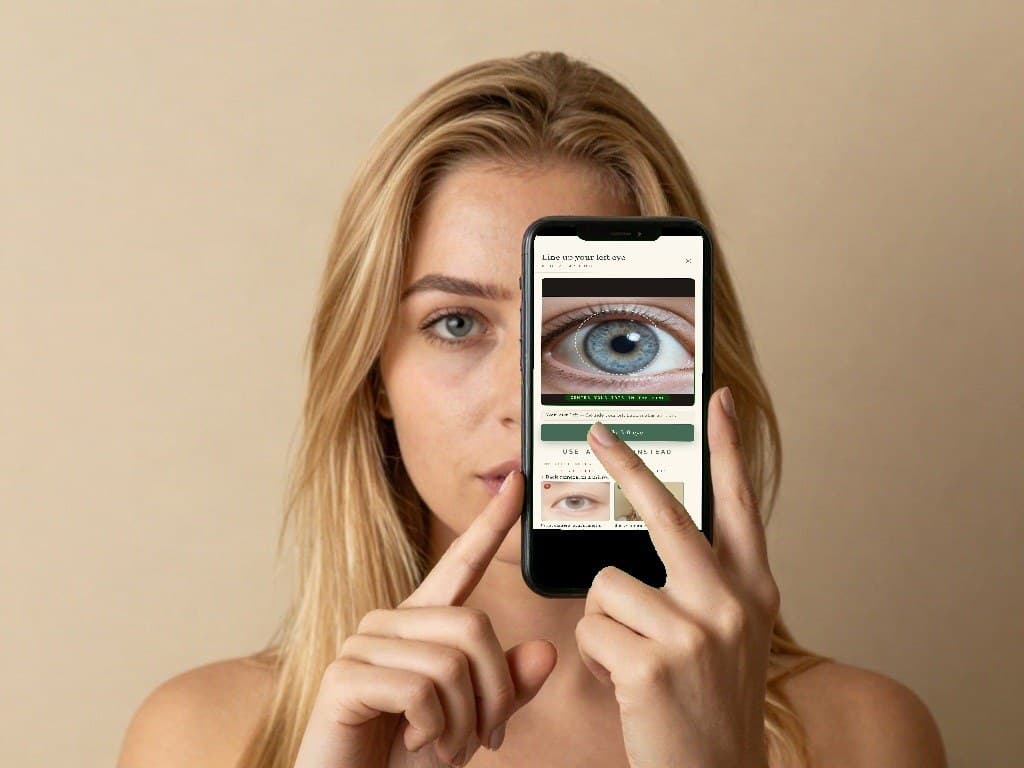
Tap and hold on the iris
Watching the screen in the mirror, press and hold right on the coloured part of the eye until it locks focus and exposure (you'll see “AE/AF Lock”). Now the camera stays sharp on the iris even as you move a little.
Light from the side
Done right, the lamp shows up as one small spot beside the pupil, never a glare across the iris. Keep the phone and your hand out of the lamp's path; if the eye looks dim on screen, shift the light, not the phone.
What good looks like
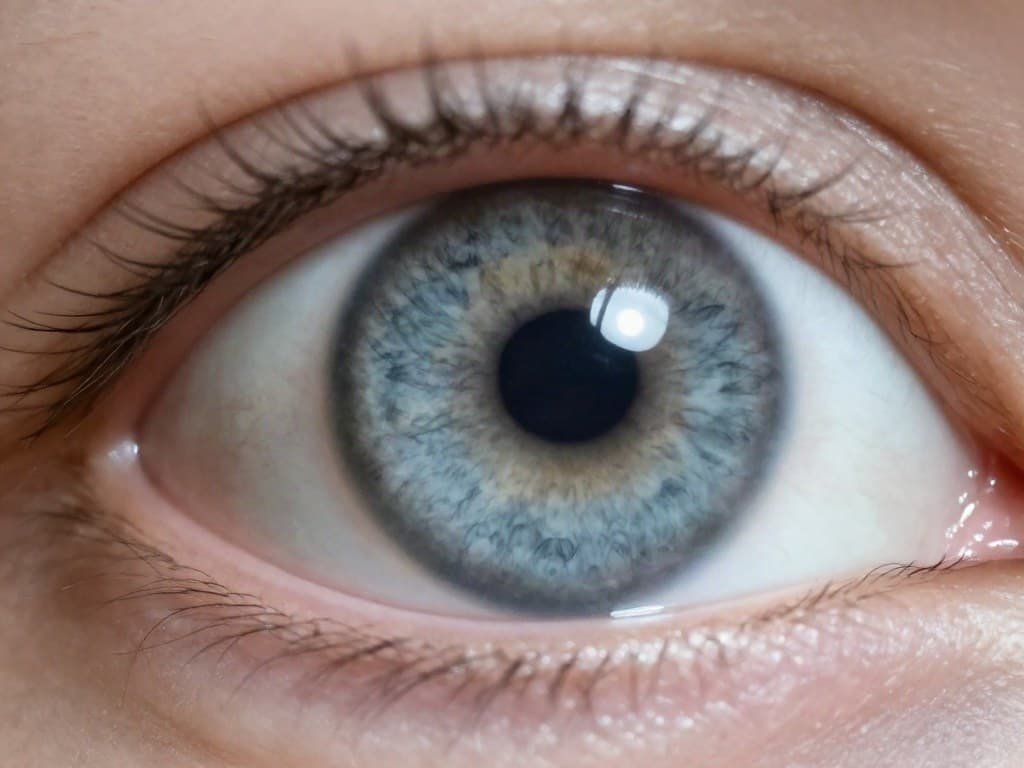
A clean iris shot
- ✓Sharp — fine fibres are visible
- ✓Evenly lit, no glare blob
- ✓The iris fills the frame
- ✓Nothing reflected in the eye
The whole iris, white all around it
Close, but not so close the ring is cut off. The full coloured circle should sit inside the frame with a little white showing above, below and on both sides of it. If the top or bottom of the iris runs off the edge, back away a touch.
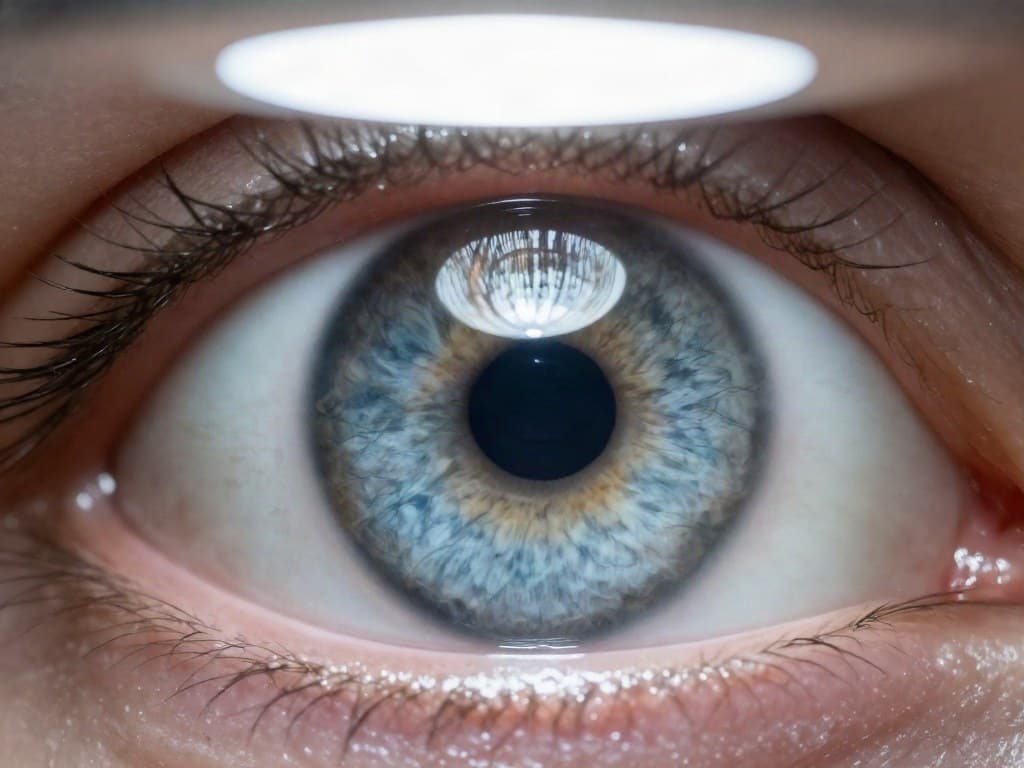
Ceiling-light spot
A light directly overhead left a glowing dot right in the middle of the iris.
Phone off the face
Even a few centimetres away the macro lens never engages — the iris comes out small and soft, not enough detail to read.
Quick checklist
- ✓Back camera, not the selfie camera — pressed to your eye, in a mirror.
- ✓Light is coming from the SIDE, not the front or overhead.
- ✓No bright blob or reflection sitting on the iris.
- ✓The whole iris is in the frame, with white showing all around it.
- ✓It looks tack-sharp — you can see the fine fibres.
- ✓Both eyes shot separately, the same way.
Got both shots? Scan them now.
Upload the two photos and your free reading is ready in about a minute.
Scan my eyes — freeNo card. Your email keeps the reading.